 info@smartlinkhrc.com
 +971 50 3163034
Manage Header and Footer section contents , from the admin panel
Login
https://smartlinkhrc.com/wp-admin

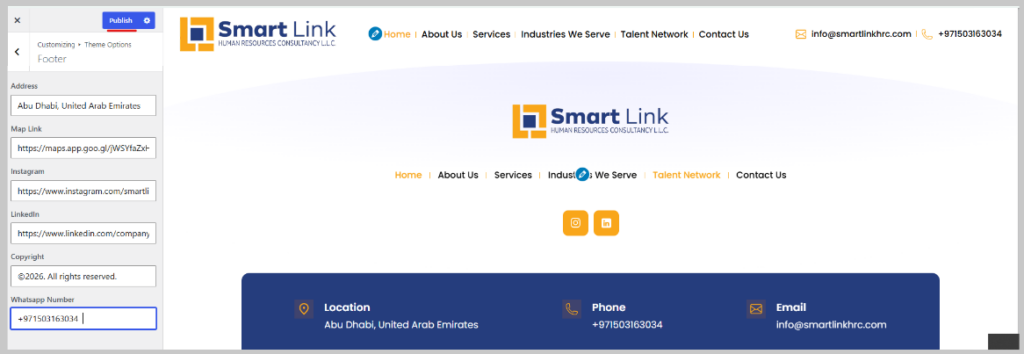
Go to Left sidebar from Admin Panel click “Appearance” -> “Customize”
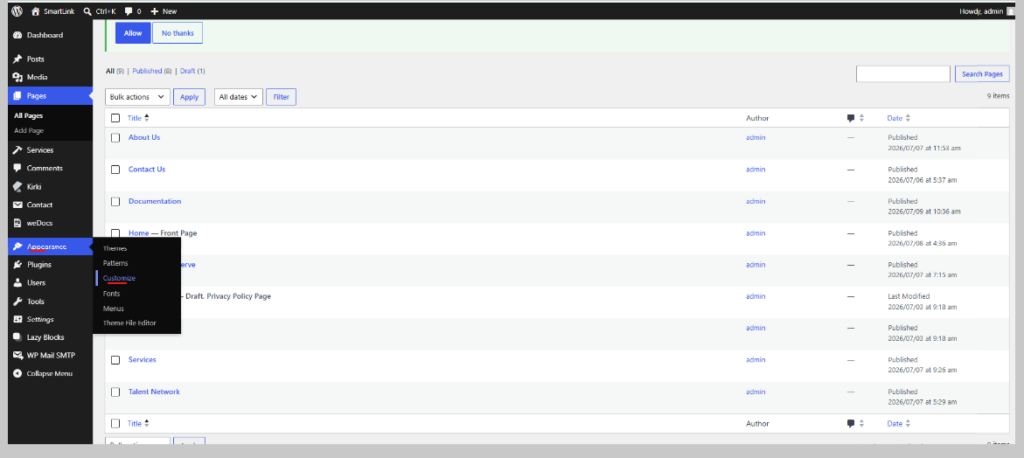
Click “Theme Options”

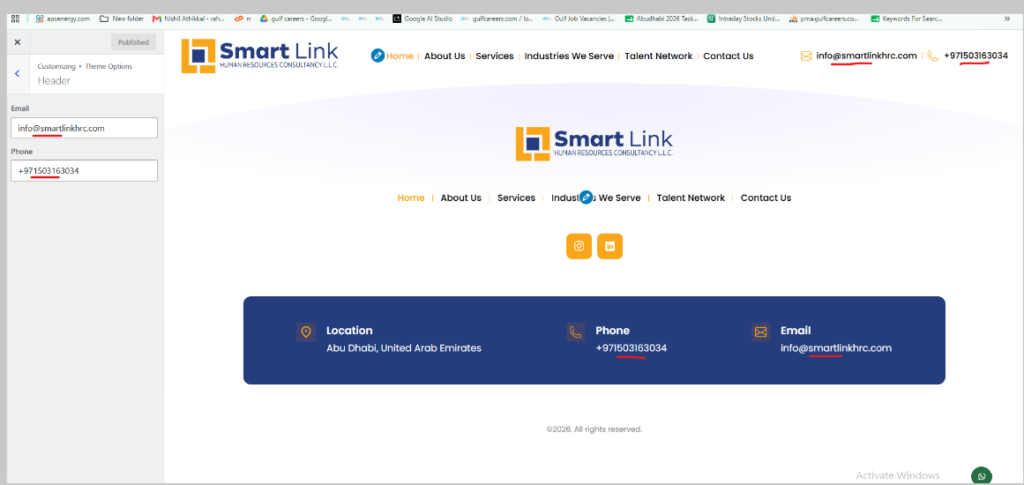
Select “Header/Footer” what you want to edit/update

Email and Phone Number will updated for footer and header from here
For other Content from Footer Click “Footer”
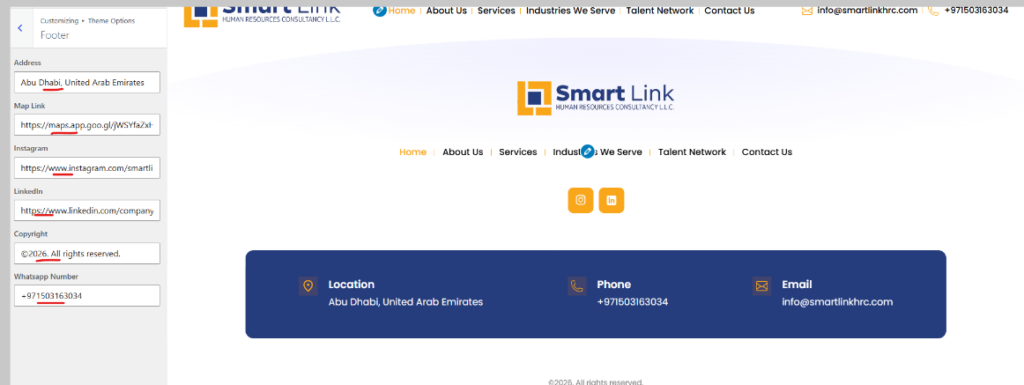
Click to Publish to save the data
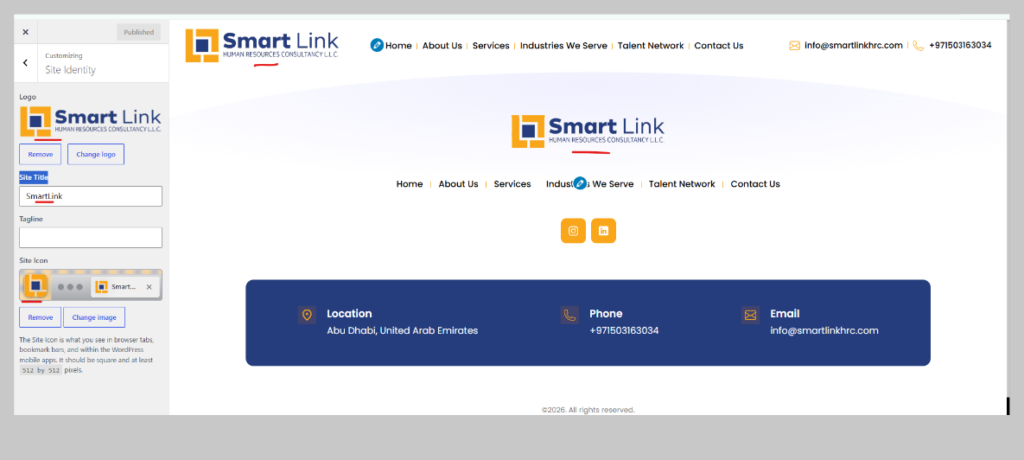
To Manage Site Icon,Logo,Site title,Tagline, Select Site identiy from Customization section (Go to Left sidebar from Admin Panel click “Appearance” -> “Customize”)

Update from open window and click to publish for save
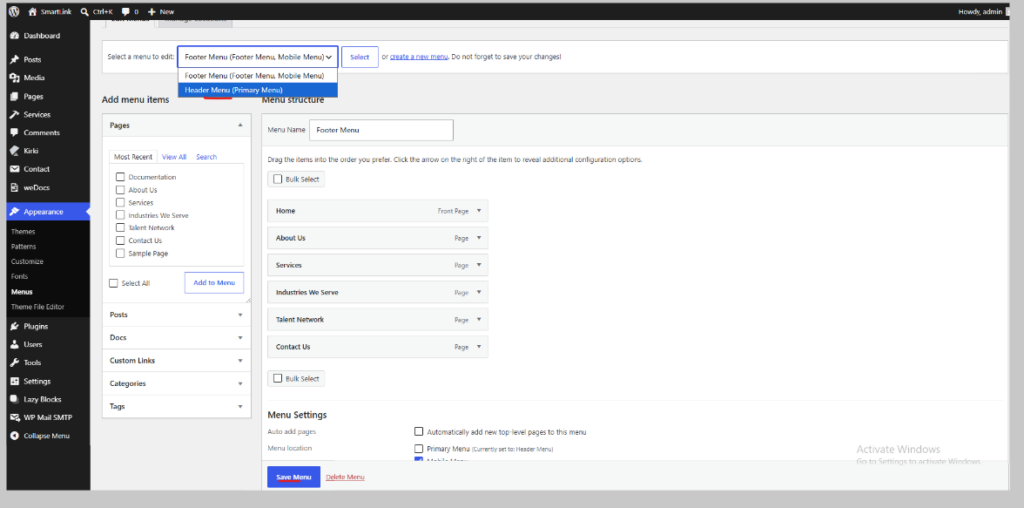
To Manage Menu For Header and Footer, Click From Sidebar Appearance – > Menu
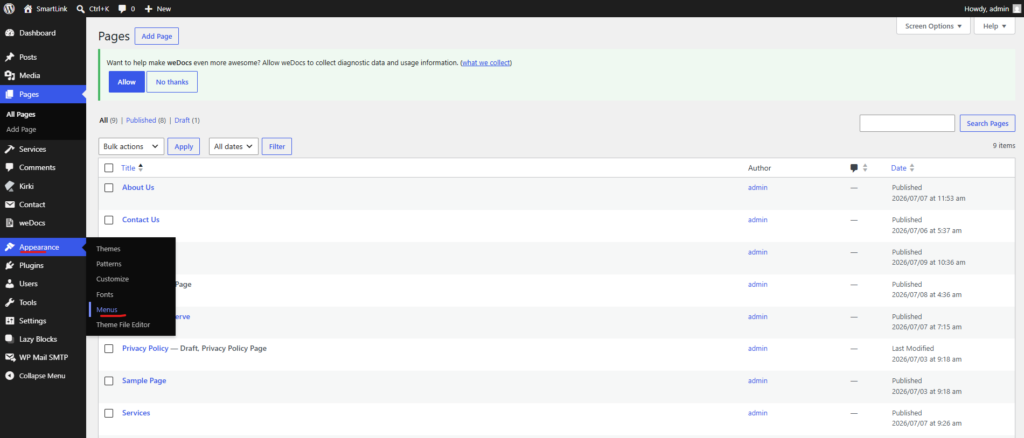
Add/Edit/Updated menu from here, for header and footer Menu